Tired of wasting hours editing your talking-head Reels?
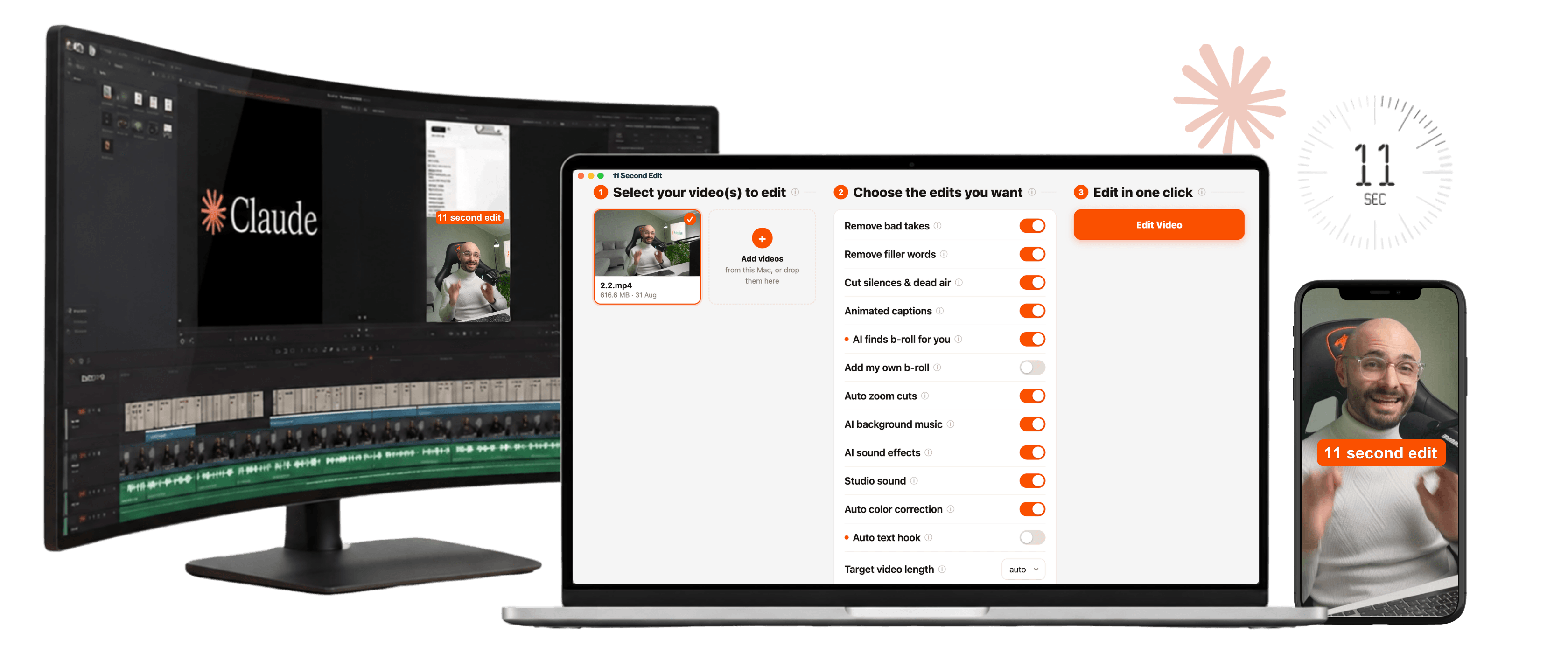
11 Second Edit
Claude edits your videos for you like a professional editor, in 11 seconds or less.
Price: $27 (one time)
- Claude edits your Reels in one-click (no video editing skills needed)
- Costs you $0 per edit (no expensive subscription or paying for extra AI credits)
- Edits engineered for watch-time (so your Reels go viral effortlessly)
What's included?
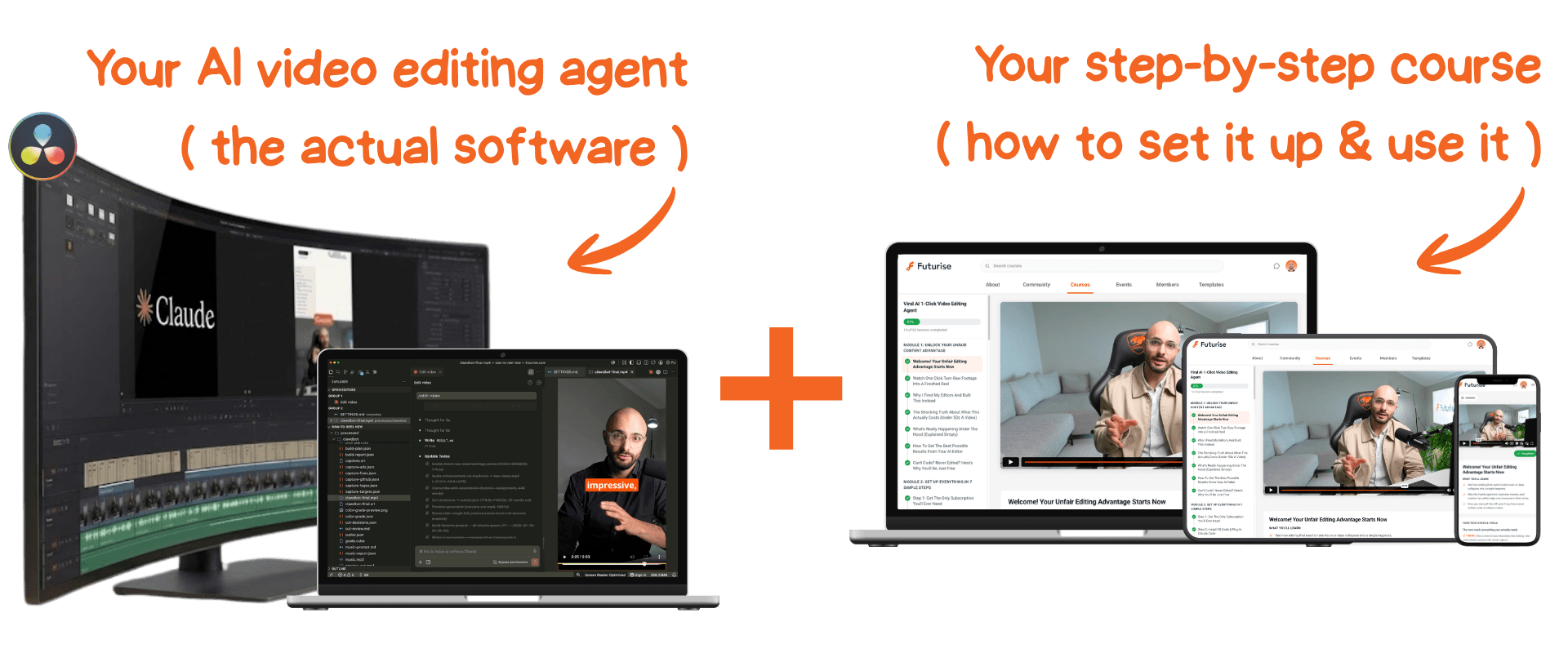
- my "11 Second Edit" one-click video editor (the folder with all the code and skill files), that you open in Claude Code, so Claude knows exactly how to edit Reels optimized for engagement so your videos go viral.
- my step-by-step setup course where I show you in 7 simple steps how to set up your new AI video editor, so even the most "tech-challenged" can do this.
This setup course is intentionally structured so you can edit your first video TODAY even if you have no video editing skills or even if you have never used Claude Code before.
Here's an example of how it works
This exact video was edited by this AI video editor and it got over 100,000 views
Here's what you need to get started today.
A Windows or Mac
The free video editing software Claude uses to edit your videos (DaVinci Resolve) only works on a computer. I show you how to install it in the setup course.
A Claude account
Claude is the AI brain behind your video editor. The $20 Claude Pro plan is more than enough to edit hundreds of videos per month.
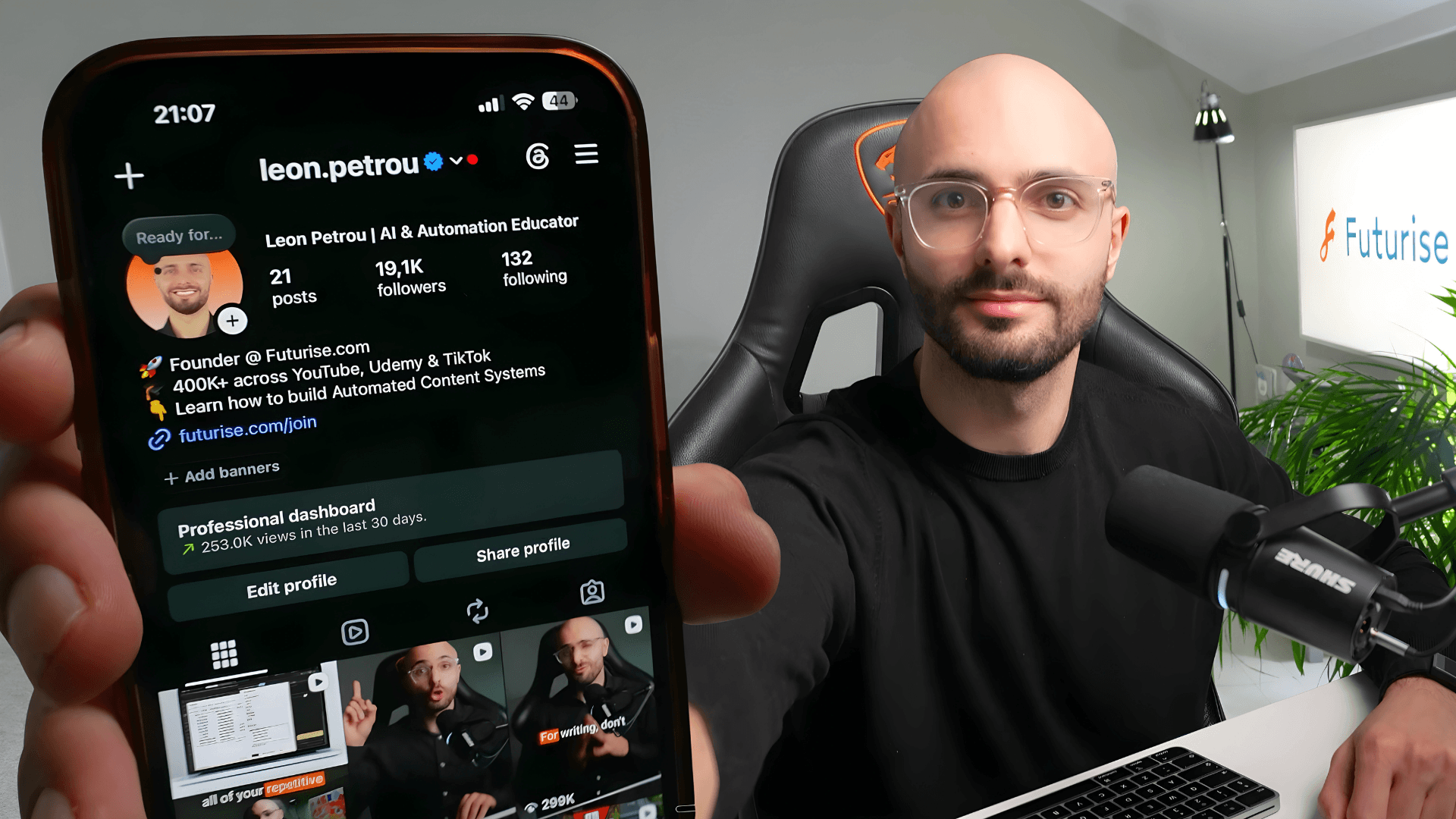
Hi I'm Leon Petrou.
I save thousands of dollars on video editors and hours of my time every month with this automated video editing system (and I'll show you how you can too!)
The best part is that “11 Second Edit” doesn't just save you time editing, but it edits your videos so they're engaging and designed to keep people watching.
I grew my Instagram to over 19k+ followers and TikTok to 300k+ with just 21 Reels edited with this exact AI video editor.
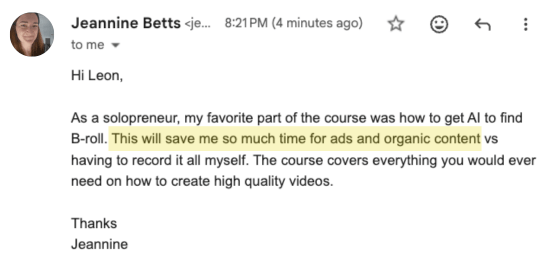
My student Jeannine says letting AI find her B-roll saves her so much time on ads and organic content, no more recording it all herself!
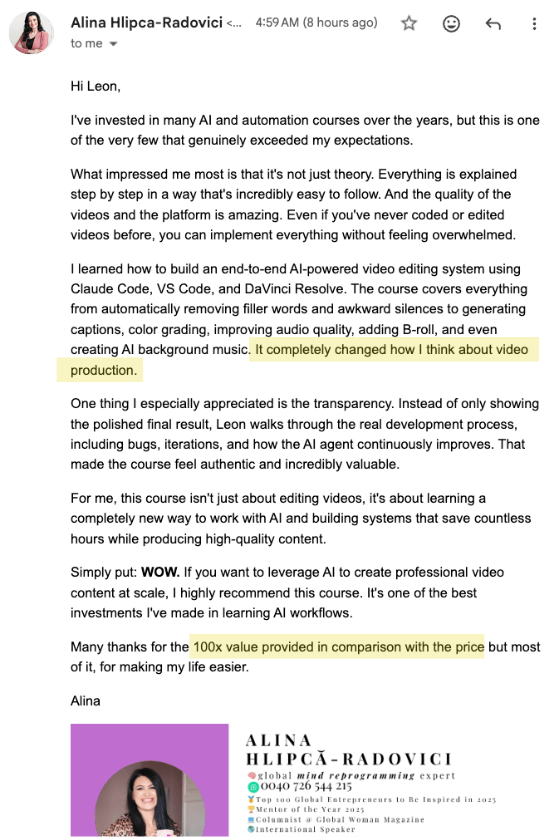
Another student Alina says the platform is amazing and it exceeded her expectations
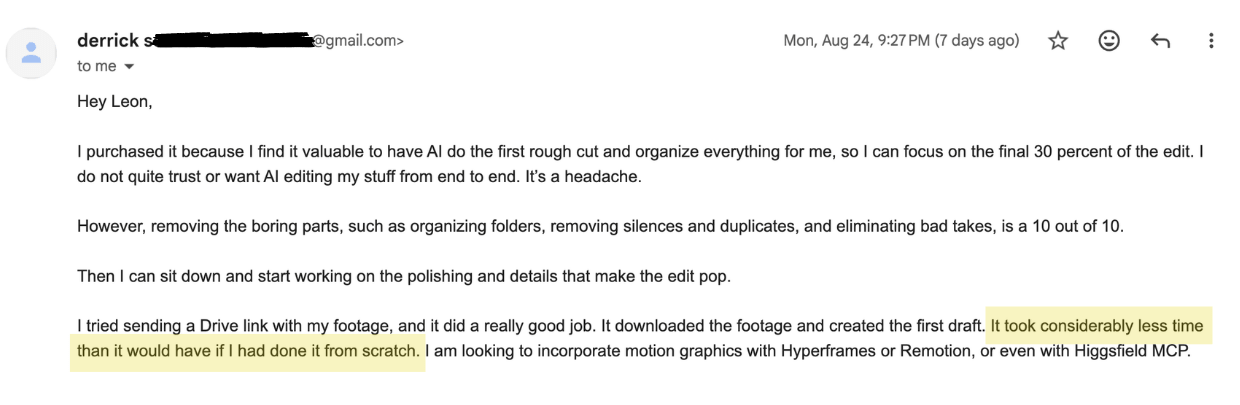
Derrick says this AI editor does a really good job and takes considerably less time than editing from scratch
FAQs
Who is this for?+
If you talk to a camera, this is for you. Coaches, creators, and experts making talking-head ("yapping") content, and anyone sitting on hours of recordings they could turn into clips. No editing experience required. If editing has always felt like something other people know how to do, that ends here.
I don't know how to code, is this still for me?+
It's exactly for you. This course is designed specifically for non-technical people. Just because we use 'Claude Code', it doesn't mean you'll touch code even once.
Do I need editing experience?+
None. If you can click a few buttons and describe what you want in plain English, you can do this. That's the whole point.
Is this for Windows or Mac?+
Both. The AI video editing agent works on both Windows and Mac, and so does DaVinci Resolve, so you can follow along on whichever computer you use.
Does it work with Codex or Cursor?+
Yes. It works with all three, Claude Code, Codex and Cursor, whichever you use. Just note that the 7-step setup course only covers how to set it up using Claude Code.
What are the features of this AI video editor?+
It does everything a professional human video editor does:
- Cuts out filler words like 'um' or 'like'
- Removes bad takes or retakes
- Sources and adds B-Roll (or uses B-roll you provide it)
- Cuts out long silences
- Adds auto-captions on your screen following your colors and brand guidelines
- Adds relevant background music
- Auto-color grades the video
- Enhances the audio quality of your voice even if you used a bad mic
- And much more!
You can optionally choose which features to toggle on or off, and it's code so you can add or customize any feature with a simple text prompt.
Does this AI video editor make mistakes?+
It hardly makes mistakes but if it does, you just prompt Claude with plain English just like you'd give feedback to a human editor and it will make the fix immediately (no more waiting hours or days). You'll also learn how to do finishing touches in DaVinci Resolve (free video editing software) in Module 4.
Can I use Adobe Premiere or Final Cut Pro instead of DaVinci Resolve?+
Yes. You can export your edit as an XML file and open it in Adobe Premiere or Final Cut Pro, so you can do your finishing touches in the editor you already know.
How do I make finishing touches to an edit?+
Prompt Claude in plain English like a human editor, or if you want, tweak it yourself directly on the DaVinci Resolve timeline, I teach you how in Module 4 of the course (no editing experience needed).
How long does it take for the AI video editor to make a video?+
Only 11 seconds of your time. You select the raw footage you want, toggle the edits you want and click the "Edit video" button. Claude then takes 10 to 15 minutes to edit the video for you. Compare this with a human video editor that takes days and still makes mistakes!
Is this only for editing short-form (IG & TikTok) videos or also long-form (YouTube)?+
It's specifically designed for short-form videos, but I also show you how to easily toggle a setting to edit long-form videos instead (in fact, I used this exact system to edit all the videos in this course).
What language does it work with?+
Any language, not only English. Record your Reels in whatever language you speak and the AI video editor edits them just the same, and your captions come out in your language too.
How does this compare to Descript or other AI video editors on the market?+
Descript and others charge you for 'AI credits' - this will cost you $10 to $20 per video. Additionally, they use smaller, less capable Claude AI models to cut costs (Haiku), so the editing is very bad. I use the best, most intelligent models (Fable) through the Claude subscription so not only is it cheaper, but the quality of the edit is much better. Plus as better models come out, your AI video editor gets an upgrade.
How much will it cost per video with your system?+
That's the best part. It's completely FREE per video. I do teach you how to generate background music with AI and enhance voice audio (both completely optional) if you decide to use those it costs less than 50 cents per video. Otherwise, your ONLY cost is a Claude Pro ($20) or a Claude Max ($100) subscription (the brain behind the AI), which you probably already have.
Will my face or my videos be used to train AI models?+
No, as long as you flip one setting. My AI video editor isn't a cloud app and doesn't store or collect any of your data. It's a folder of code that runs locally on your laptop through Claude Code. Your video does get processed by Claude's models, so to protect your likeness, open Claude's settings, click Privacy and disable "Help improve our AI models". With that off, Anthropic won't train on your videos, transcripts or screenshots and your likeness is completely protected.
Do I get lifetime access to this course?+
Yes, you will get lifetime access to this course but you will also get all future updates to the AI video editing agent and course video lessons.
Do you offer refunds?+
Yes, I offer a 30 days no questions asked money back guarantee.
100% Money Back Guaranteed!

I am so confident that every single content creator needs to have access to this AI video editor and course that I decided to offer a 30-day money-back guarantee!
Just Fill Out Your Info Below to Get Instant Access to the AI Video Editor and Setup Course:
Secure checkout. One-time payment. Lifetime access sent to your email.